
7 Steps to Integrate Surveillance Tech With Security Guards
Pair surveillance tech with security guards to cut response times and close coverage gaps. Follow a 7-step plan to integrate both on real sites.
Last Updated: October 27, 2026
Quick Summary
Integrating surveillance tech with physical security guards means connecting detection to response: audit your site, match guard technology to each post, and route real-time alerts to on-duty officers. Pair cameras and guards on one workflow with escalation protocols, written monitoring procedures, and defined KPIs. Build privacy and failure procedures before go-live.
- Start with a site audit covering every camera, sensor, alarm, access point, blind spot, and guard post.
- Route immediate alerts like intrusion alarms and panic buttons to the guard's phone and dispatch simultaneously.
- Set an escalation protocol defining who receives each alert, how it is verified, and when a guard is dispatched.
- Track response time, false alarm rate, incident detection rate, patrol completion, and report quality as KPIs.
- Use FTC guidance on commercial surveillance and data security as your privacy baseline before go-live.
Table of Contents
- Why Surveillance Tech Needs Guards Behind It
- Step 1: Audit Your Site and Map the Gaps
- Step 2: Choose Security Guard Technology That Fits the Post
- Step 3: Set Up Real-Time Security Alerts for Guards
- Step 4: Pair Security Cameras and Security Guards on One Workflow
- Step 5: Write Video Surveillance Monitoring Procedures
- Step 6: Measure Performance With Defined KPIs
- Step 7: Build Privacy and Failure Procedures Before Go-Live
- What to Do Next
- Frequently Asked Questions
Why Surveillance Tech Needs Guards Behind It
Surveillance tech is the network of cameras, sensors, alarms, and monitoring software that watches a property. On its own, it only records what happens.
A camera can show a trespasser crossing a fence line at 2 a.m. Integrating surveillance technology with physical security guards is one way to connect detection with a response.
The stakes are practical, not theoretical.
Below, we walk through seven steps for connecting systems to guards.
Step 1: Audit Your Site and Map the Gaps
Start by walking the property and writing down what you actually have. Not what the lease says, not what the last vendor promised. What is installed, where it points, and whether it works.
A site audit should cover:
- Every camera: location, field of view, recording status, image quality
- Every sensor and alarm: motion sensors, door contacts, panic buttons
- Access control points: gates, badge readers, loading docks
- Blind spots: stairwells, back lots, fence lines, trash enclosures
- Current guard posts and patrol routes
Then map the two together. Where does a camera see a guard post but no guard can see the camera's blind spot? Where does an alarm sound but no officer is close enough to respond? Those mismatches are your gaps.
For a structured method, see how to conduct a security risk assessment.
Step 2: Choose Security Guard Technology That Fits the Post
Security guard technology should match the job, not the catalog.
- Fixed guard post: camera feeds at the desk, a radio, and an alarm panel within reach
- Mobile patrol: a phone or tablet with checkpoint scanning and live dispatch
- Gatehouse: access control integration, visitor logging, and intercom
- Remote or low-traffic sites: cameras with remote monitoring and motion alerts
Step 3: Set Up Real-Time Security Alerts for Guards
Real-time security alerts for guards are notifications that reach an officer when a sensor, camera, or alarm triggers.
- Immediate: intrusion alarms, panic buttons, door-forced events. Route to the on-duty guard's phone and the dispatch center at the same time.
- Priority: motion in a restricted zone, camera tampering, after-hours access. Route to the guard with a short delay for verification.
- Informational: routine access logs, shift summaries. Route to a dashboard, not a phone.
Ranger Operation Services offers real-time assignment tracking from dispatch to completion. The benefits of real time guard tracking for security teams include a record of assignment status.
Step 4: Pair Security Cameras and Security Guards on One Workflow
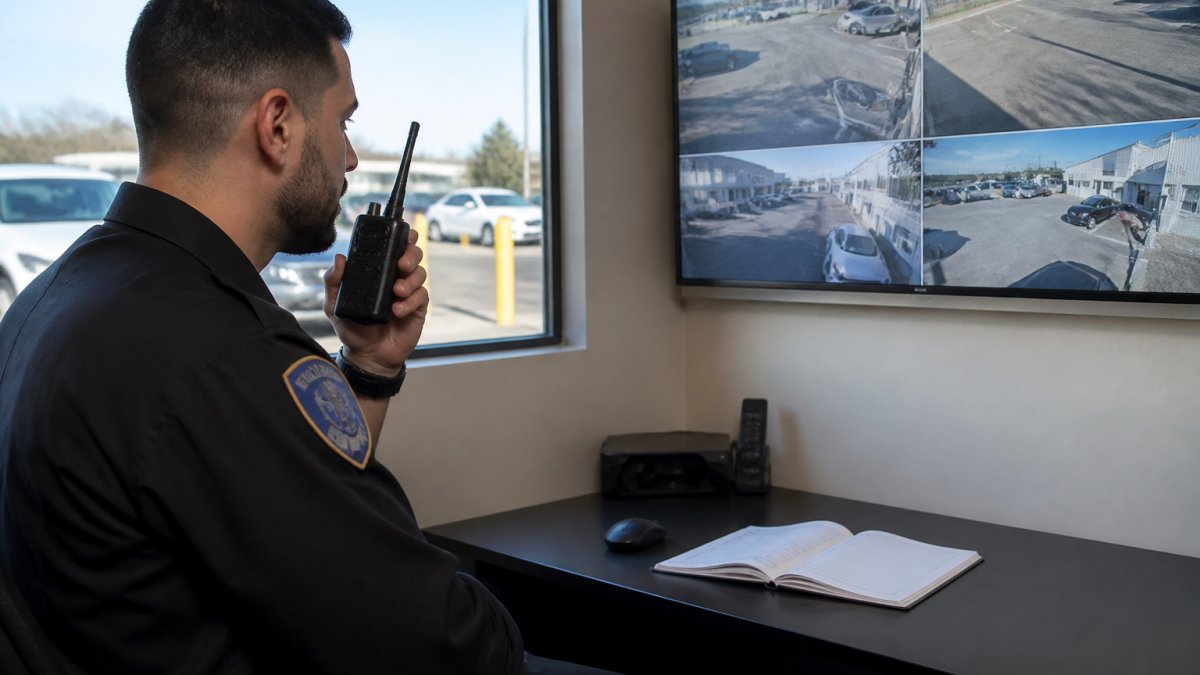
Security cameras and security guards can be coordinated through a workflow. An escalation protocol can set out who receives each alert, how it gets verified, when a guard is dispatched, and how the outcome is documented.
For more information, see integrating AI with commercial video surveillance.
Step 5: Write Video Surveillance Monitoring Procedures
Video surveillance monitoring procedures can set out who watches what, when, and what they do next.
Step 6: Measure Performance With Defined KPIs
You can use a small set of KPIs to review performance.
| KPI | What It Measures | Target Direction |
|---|---|---|
| Response time | Alert to guard on scene | Lower |
| False alarm rate | Alerts cleared with no incident | Lower |
| Incident detection rate | Incidents caught by system vs. found later | Higher |
| Patrol completion | Checkpoints scanned on schedule | Higher |
| Report quality | Incident reports accepted without rework | Higher |
Step 7: Build Privacy and Failure Procedures Before Go-Live
On privacy, follow the FTC guidance on commercial surveillance and data security as a baseline. In practice, that means four operational controls:
For more information, see Six steps from call to coverage.
What to Do Next
Ranger Operation Services provides licensed Class D and G officers across Florida, with a four-hour statewide deployment window and 24/7 dispatch support. Its proprietary mobile app provides real-time assignment tracking from dispatch to completion, and every client gets a named regional supervisor.
Get started with Ranger Operation Services.
Frequently Asked Questions
Can surveillance technology replace physical security guards?
No. Cameras and sensors can detect and record activity, while guards can provide a physical security presence.
How should camera alerts be escalated to on-site guards?
A written protocol can specify how alerts are escalated and who receives them.
What technology should security guards use on post?
Start with a smartphone or tablet running a guard tour and incident reporting app, a two-way radio or push-to-talk app for team coordination, and access to live camera feeds for their zone. Add motion sensors and alarm panels at perimeter points. For construction and retail sites, GPS-tracked patrol checkpoints help prove coverage. Keep the toolset small enough that officers can be trained on all of it in one shift.
How do you measure whether surveillance tech is improving guard performance?
Track a short list of KPIs: alert-to-acknowledgment time, false alarm rate, incident detection time, report completion rate, and patrol checkpoint compliance. Review them weekly with your security provider. If false alarms run high, tighten sensor zones or camera analytics rather than adding more devices. If acknowledgment time drifts, revisit staffing at the monitoring point. Numbers turn a technology purchase into an accountable operation.
