
Mobile App for Security Management: 2026 Guide
Mobile app for security management: Learn how mobile apps for security management streamline guard operations, incident reporting, and real-time dispatch.
Table of Contents
- What a Mobile App for Security Management Actually Does
- Core Features That Matter: GPS Tracking, Incident Reporting, and Patrol Verification
- Security Guard Tracking Software: Accountability in Real Time
- Real-Time Incident Reporting App: From Field to Command Center
- Security Guard Scheduling Software: Shift Management and Payroll Integration
- Data Privacy, Compliance, and Offline Functionality
- Cost-Benefit Analysis: Small Teams vs. Large Operations
- How to Choose the Right Mobile App for Your Security Operation
- Frequently Asked Questions
Last Updated: September 23, 2026
What a Mobile App for Security Management Actually Does
A mobile app for security management transforms how teams deploy guards, track patrols, and respond to incidents in real time, replacing radio checks and paper logs with a single platform where dispatchers assign work, guards report activity, and managers monitor everything from their phones or desks.
The core difference is visibility: when patrol verification happens through a mobile app, you know exactly where your guards are, what they've done, and when they did it, no guesswork, no missing incident reports filed days later.
At Ranger Operation Services, our proprietary mobile app connects dispatchers, guards, and clients in real time, enabling a four-hour deployment window across the state and the accountability standards that construction sites, retail chains, and medical facilities require.
A good mobile app for security management simplifies the entire workflow: guards receive shifts with location details and instructions, log activities, capture evidence, report incidents instantly, and clock out with full documentation. Managers see everything unfold in real time and respond immediately if needed.
Core Features That Matter: GPS Tracking, Incident Reporting, and Patrol Verification
Essential features: knowing where guards are, proving they completed assignments, and capturing incidents as they happen. Everything else is nice-to-have.
Real-Time GPS Tracking and Geofencing
Real-time GPS tracking shows exactly where each guard is at any moment. Geofencing sets a boundary around a property and alerts you automatically if a guard enters or leaves that zone unexpectedly.
For construction sites where theft is the primary concern, GPS tracking proves guards were actually there. Geofencing catches problems immediately: if a guard leaves their assigned area without authorization, you know within seconds.
Set geofences around high-value material storage areas, equipment yards, and access points. When a guard's location drifts outside the perimeter, the system flags it immediately.
Checkpoint Scanning and Patrol Verification
Checkpoint scanning proves a guard completed a patrol tour: they scan QR codes or NFC tags at specific locations, and the system records the time, location, and sequence automatically.
For retail loss prevention, guards scan checkpoints at loading docks and storage rooms. For construction sites, they scan equipment yards and perimeter gates. The system has timestamped proof they were at each location.
For medical marijuana facilities, checkpoint scanning provides automatic chain-of-custody documentation proving physical presence at specific times.
Digital Evidence and Photo Capture
When an incident happens, a mobile app for security management lets guards photograph damage, theft, unauthorized access, or suspicious activity on the spot. The system captures timestamp, location, and guard ID automatically.
Evidence is stored in the cloud and accessible to management and clients within seconds, with visual proof included directly in the incident report.
Security Guard Tracking Software: Accountability in Real Time
Security guard tracking software keeps field personnel accountable while giving them the tools to do their jobs effectively, it's documentation, not surveillance.
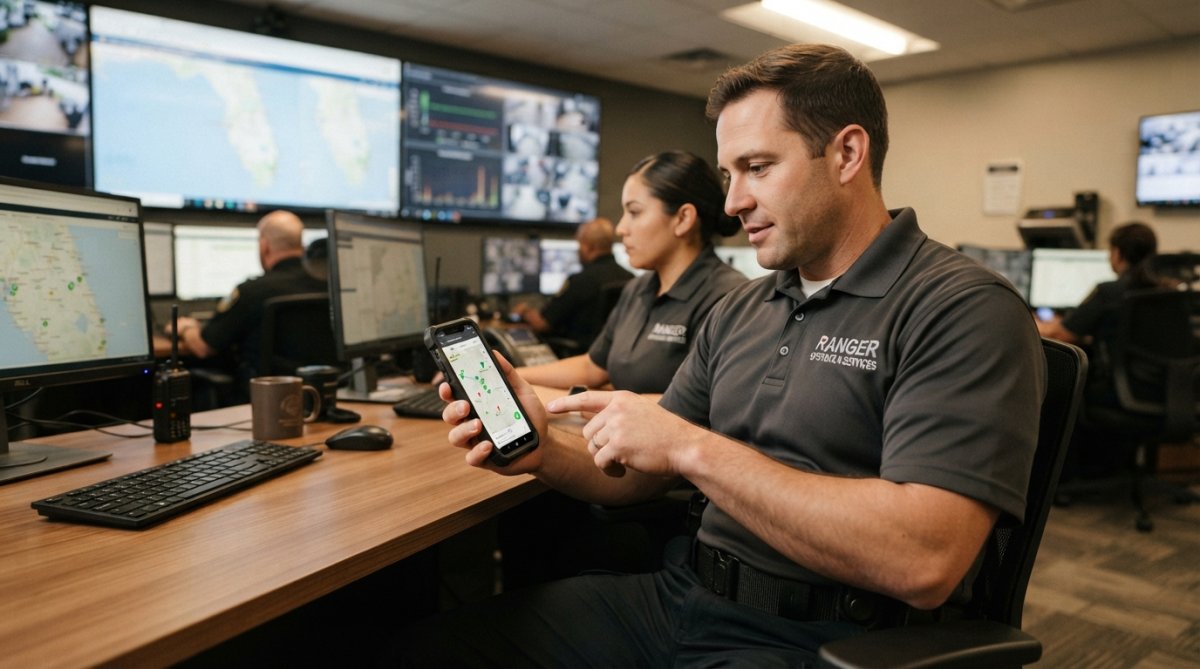
A mobile app for security management creates a digital record of every guard's activity throughout their shift, providing the visibility needed to prevent problems.
Real-time tracking shows where guards are deployed, checkpoint scanning proves patrols were completed, time-clock features document hours, and activity logs capture shift details. If an incident occurred, the system has the guard's location and photo evidence.
For smaller operations, this prevents common problems: guards sleeping on the job, skipping patrols, or failing to respond to incidents.
Real-Time Incident Reporting App: From Field to Command Center
A real-time incident reporting app means management and the client know about incidents the moment they happen.
Guards photograph incidents, fill out digital forms, and submit them. The system timestamps everything and sends alerts immediately, no waiting for shift end, no lost reports, no delays.
For construction sites, this documents theft before the thief leaves. For retail, it captures organized retail crime as it happens. For medical marijuana facilities, compliance officers have real-time documentation of access violations or inventory discrepancies.
Incident reports become searchable, shareable records accessible instantly to clients and law enforcement, creating accountability for both what happened and response speed.
Security Guard Scheduling Software: Shift Management and Payroll Integration
Manual scheduling creates mistakes and inefficiency. A mobile app for security management handles scheduling, assigns shifts based on availability and qualifications, and feeds directly into payroll.
When guards pick up shifts, clock in, and clock out through the app, hours flow automatically into payroll, no timesheet reconciliation or disputes.
For larger operations, managing 50 guards across multiple sites with spreadsheets is nearly impossible. The app assigns the right guard to the right location at the right time.
For smaller operations, it prevents scheduling chaos when guards call in sick. The app shows available coverage and lets you reassign shifts.
Data Privacy, Compliance, and Offline Functionality
A mobile app for security management handles sensitive information, guard locations, incident reports, client property details, and evidence photos, that must be protected according to industry standards and regulatory requirements.
Compliance Standards and Data Protection
Compliance requirements vary by industry. Medical marijuana facilities must maintain chain-of-custody documentation and access logs proving specific individuals were present at specific times. Construction sites may fall under OSHA recordkeeping requirements. Retail operations must comply with state data breach notification laws.
Look for systems with role-based access controls (guards see only their own schedule and reports) and immutable audit logs. For regulated industries, the app should generate compliance reports automatically.
Offline Functionality: The Critical Gap Most Guides Skip
Offline functionality is critical for construction sites and remote properties where cellular coverage drops. If your app requires constant internet connection, it stops working when guards need it most.
The app should function fully offline: guards receive assignments, scan checkpoints, photograph incidents, and fill out reports. Data queues locally and syncs automatically when coverage returns, no data loss, no manual re-entry.
Ask vendors: Can guards continue scanning checkpoints and photographing incidents without connectivity? Will data sync automatically when coverage returns? Can the app function for a full 8-hour shift offline?
For anyone managing guards in rural, industrial, or remote locations, offline sync is non-negotiable, it's the difference between a system that works in the real world and one that only works in the office.
Cost-Benefit Analysis: Small Teams vs. Large Operations
For small operations, the primary benefit is accountability and incident documentation, preventing guards who weren't actually there or incidents without documentation.
For large operations (50+ guards), scheduling efficiency saves significant time, automated payroll eliminates errors, real-time dispatch improves response times, and patrol verification proves guards are working. Cost per guard decreases dramatically.
The question isn't whether you can afford a mobile app for security management, it's whether you can afford not to have one.
How to Choose the Right Mobile App for Your Security Operation
Evaluating a mobile app for security management requires assessing compatibility, integration, and total cost of ownership.
Hardware Integration: The Overlooked Requirement
Most security operations already have body cameras, panic buttons, access control systems, or alarm monitoring equipment. A new mobile app needs to work with what you have.
If guards wear body cameras, the app should automatically link incident reports to video footage, flagging the corresponding segment so management can review what happened without hunting through hours of footage.
Wearable devices, panic buttons, GPS watches, or two-way radios, should sync with the app. If a guard activates a panic button, the app should alert dispatch immediately and pull up that guard's location and assignment. Separate systems create delays during emergencies.
Access control systems should integrate with the app's checkpoint scanning, populating activity logs automatically and eliminating duplicate data entry.
Alarm system integration notifies guards immediately when sensors trigger and provides context on expected response. Without this, guards respond blindly.
Before selecting an app, ask vendors directly about integration with your existing hardware.
Building a Decision Framework
Evaluate candidates against these categories:
Operational Requirements: Does the app handle the specific workflows your operation needs? If you require checkpoint scanning, verify the app supports both QR codes and NFC tags (different sites may have different infrastructure). If you need real-time incident reporting, test the photo upload speed and reliability on slower cellular networks. If you manage multiple sites, confirm the app can assign guards to specific locations and geofence each one independently.
Cost-Benefit Framework for Your Operation Size
For small operations (2-10 guards, 1-3 sites): The primary ROI comes from liability reduction and incident documentation. You're preventing the worst-case scenario where an incident happens and you have no proof of what occurred or whether your guard was actually present.
Frequently Asked Questions
How does a mobile app for security management improve incident response times?
A mobile app for security management eliminates delays in reporting and communication. Guards document incidents instantly with photos, video, and location data. Command center staff receive alerts in real time, allowing supervisors to deploy additional personnel or contact emergency services within seconds rather than minutes. Cloud-based storage ensures all records are accessible immediately, reducing the time needed to investigate and respond to threats.
What features should a professional security guard tracking software include?
Essential features for security guard tracking software include GPS geofencing to verify guard location, checkpoint scanning to confirm patrol completion, real-time incident reporting with photo and video evidence, automated time and attendance tracking, and integration with payroll systems. The app should also support offline functionality so guards can log data without cellular coverage and sync when reconnected. Cloud-based storage ensures all records are secure and accessible to authorized personnel.
Can a real-time incident reporting app help with compliance and legal liability?
Yes. A real-time incident reporting app creates timestamped, documented records of every incident with photographic evidence and guard statements. This digital documentation protects your organization by establishing a clear chain of custody and demonstrating professional response procedures. For regulated industries like medical marijuana facilities or retail chains, automated reporting ensures compliance with state and federal requirements. Digital logs are also admissible in court and significantly reduce disputes over what actually happened.
How does security guard scheduling software integrate with dispatch and payroll?
Modern security guard scheduling software automates shift assignment, tracks actual hours worked via the mobile app, and feeds that data directly into payroll processing. When a guard clocks in via geofencing or manual check-in, the system records the time. Supervisors can adjust schedules in real time if an incident requires extra coverage. Integration with payroll eliminates manual timesheets and reduces errors, saving administrative time and ensuring guards are paid accurately for hours worked.