
Construction Site Theft Prevention Tips for 2026
Stop construction site theft with proven prevention tips: access control, GPS tracking, lighting, and security plans. Protect your equipment and materials.
Table of Contents
- Why Construction Site Theft Is Rising and What It Costs
- How to Secure Construction Equipment on Your Job Site
- Perimeter Security, Lighting, and Access Control Tactics
- Building a Construction Site Security Plan Template
- Hiring Security Guards for Construction Sites
- Cybersecurity and Insurance Documentation for Connected Equipment
- Frequently Asked Questions
Last Updated: September 10, 2026
Why Construction Site Theft Is Rising and What It Costs
Construction site theft prevention starts with understanding the problem: job sites combine high-value assets, open perimeters, and predictable schedules.
The FBI and industry loss-control groups have long flagged construction as a top target for organized theft rings. Equipment sits unattended for hours, subcontractors cycle through without consistent vetting, and chain-link fencing barely slows a crew with bolt cutters and a flatbed truck.
The real cost isn't just the stolen asset, it's the project delay, deductible, replacement lead time, and damage from cut locks and pried containers. Many contractors underestimate how far one theft cascades through a schedule.
Most guides get this wrong: theft isn't just a nighttime problem. It happens during shift changes, weekends, and the first weeks of a new project before security protocols are established.
How to Secure Construction Equipment on Your Job Site
Securing construction equipment requires layering physical deterrents, tracking technology, and consistent documentation. No single measure stops a determined thief, but stacked defenses make your site a harder target than the one down the road.
Catalog every high-value asset with photos, serial numbers, and proof of ownership. Add tracking and immobilization so stolen items can be recovered rather than written off. Control who accesses equipment keys and fuel.
GPS Tracking, Telematics, and Immobilization Devices
GPS trackers and telematics units give real-time location data on trailers, excavators, and generators. Immobilization devices go further, preventing equipment from starting or moving without an authorized code.
A common mistake is installing a tracker but never testing it. Batteries die, signals drop in certain terrain, and units get removed if mounted in obvious spots. Conceal them, test monthly, and cross-reference live data during off-hours.
Serial Number Tracking and Equipment Identification
Serial number tracking means recording and cross-referencing every asset's unique identifier so stolen items can be matched to ownership during recovery. It sounds basic, but most sites do it poorly.
- Photograph each serial plate and store it off-site in cloud records
- Mark equipment with a secondary identifier, such as an engraved company code
- Register high-value tools with manufacturer and law enforcement databases
- Update the inventory log every time equipment enters or leaves the site
Perimeter Security, Lighting, and Access Control Tactics
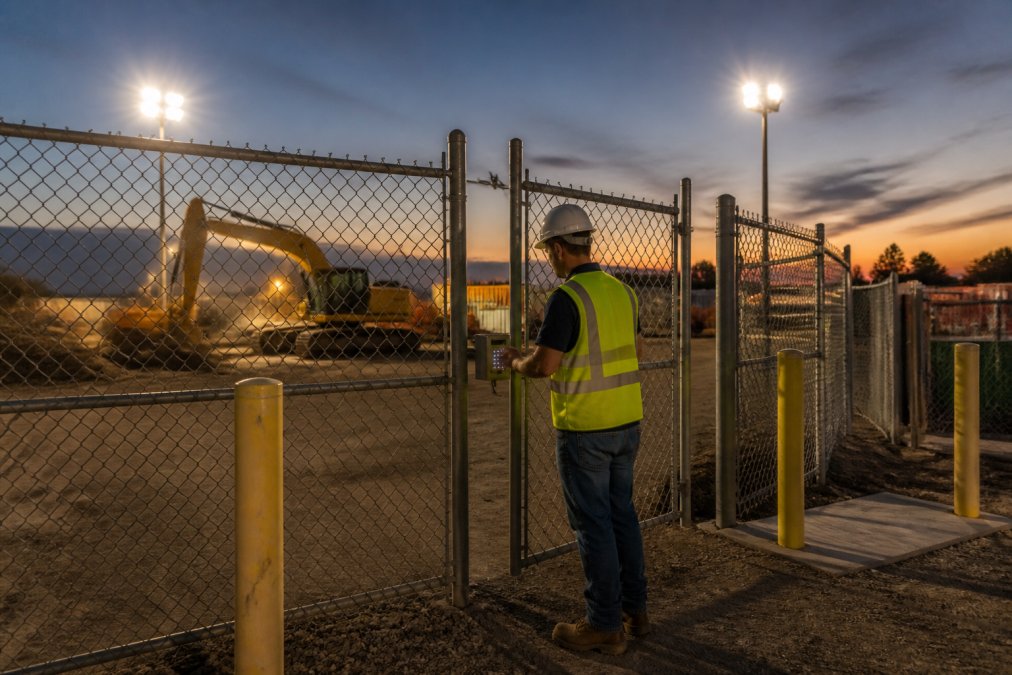
Perimeter security, lighting, and access control form the physical backbone of any construction site security plan: fencing slows intruders, lighting eliminates hiding spots, and access control records who entered and when.
Chain-Link Fencing, Anti-Climb Materials, and Vehicle Barriers
Standard chain-link fencing stops casual trespassers but not organized crews. Add anti-climb materials like rotating barbed wire or mesh overlays, and reinforce gates with heavy-duty locks and hardened hinges.
Vehicle barriers matter just as much. A determined thief will ram a gate with a truck if the payoff is high enough. Concrete blocks, bollards, or reinforced gate posts prevent that.
Motion-Activated Lighting and Site Visibility
Motion-activated lighting startles intruders and makes them visible to neighbors, patrols, and cameras. Place lights at entry points, equipment staging areas, and blind corners where trailers sit overnight.
Site visibility is a design choice. Trim overgrown vegetation, avoid stacking materials against the fence line, and keep the perimeter clear so anyone approaching is exposed.
Building a Construction Site Security Plan Template
A construction site security plan template assigns responsibility for every theft-prevention measure on your project, who locks up, who audits inventory, who reports incidents. The difference between a plan that works and one that sits in a binder is whether it names a person, a time, and a verification step for every task.
Build the plan in five layers, in this order:
- Risk assessment. Walk the site and score each asset zone (laydown yard, fuel island, tool trailer, copper storage, equipment staging) on value, portability, and visibility from the street. High-value, high-portability, low-visibility zones get the most controls.
- Control assignment. For each zone, list the physical, electronic, and human controls that apply. If a zone has no control, that is a documented gap, not an oversight.
- Ownership and schedule. Every control gets one named owner and one frequency. "Everyone" owns nothing.
- Verification. A second person spot-checks the control on a set cadence. Verification is what separates a plan from a wish list.
- Review and revision. Re-score the plan after every incident, every phase change, and every new subcontractor mobilization.
A working template looks like this:
| Plan Element | Owner | Frequency | Verification |
|---|---|---|---|
| Perimeter and gate check | Site superintendent | Daily, end of shift | Project manager, weekly spot check |
| Inventory audit (high-value tools) | Equipment manager | Weekly | Project manager, monthly reconciliation |
| Toolbox talk on theft prevention | Foreman | Weekly | Superintendent, signed attendance log |
| Incident reporting review | Project manager | After every incident | Regional supervisor, monthly |
| Access control log review | Security lead | Weekly | Project manager, monthly |
| Key and fuel card reconciliation | Site superintendent | Daily | Equipment manager, weekly |
| Camera and lighting function check | Security lead | Weekly | Project manager, monthly |
Inventory Audits, Toolbox Talks, and Incident Reporting
Inventory audits catch discrepancies before they become losses. A weekly count of high-value tools and materials tells you whether something walked off and when. Count the same items the same way each time, and record the count even when nothing is missing, a clean audit trail proves a loss later.
Toolbox talks are short security briefings held before work begins. Use them to reinforce theft prevention policy, remind crews about key management, and share recent incident reports. Keep a signed attendance log; it documents that your workforce was trained if an insurer or attorney asks.
Incident reporting closes the loop. Document every theft, attempted break-in, or suspicious sighting with time, location, description, and photos. That record supports your insurance claim and law enforcement coordination if the case escalates.
Post-Theft Documentation Workflow
Most guides stop at prevention, but the hours after a theft decide whether you protect your claim. Work this sequence in order:
- Secure the scene. Do not clean up, move equipment, or repair cut locks until photos are taken. Preserve the point of entry, tool marks, and any discarded items.
- Photograph everything. Wide shots of the breach point, close-ups of cut chains, pried doors, and damaged hasps, plus the empty space where the asset sat. Include a scale reference when possible.
- File the police report the same day. Get the report number and the responding officer's name. Insurers routinely require a police report for equipment theft claims, and delay weakens the file.
- Notify your insurer within the policy's notice window. Most commercial property policies require prompt notice; check your specific policy language rather than assuming a standard timeframe.
- Pull your asset file. Purchase receipts, serial numbers, photos, maintenance records, and the last inventory count. This is why the pre-theft documentation matters.
- Submit the claim package. Police report, asset file, incident report, witness statements, and repair or replacement estimates.
- Log the loss internally. Update the inventory record, flag the serial number as stolen, and register it with the manufacturer and any applicable law enforcement property databases.
Hiring Security Guards for Construction Sites
Hiring security guards for construction sites means choosing between unarmed deterrent patrols and armed officers, depending on your risk profile and site value. The right provider does more than post a guard at the gate.
Look for licensed officers, documented training, and a clear escalation protocol. Ask how the company handles call-offs, shift coverage, and emergency response times. A provider that can't reliably staff a 2 AM Sunday shift isn't protecting your site, it's giving you false security.
Ranger Operation Services deploys licensed Class D and G officers and guarantees a four-hour deployment window statewide, backed by 24/7 dispatch. Every client gets a named regional supervisor, and the proprietary mobile app tracks each assignment from dispatch to completion.
For sites with high-value equipment, a visible security patrol paired with access control is often the strongest deterrent. Thieves scout before they strike, and a site with an active patrol gets crossed off the list.
The best security plan combines technology, physical barriers, and human presence. Cameras record theft; guards and lighting prevent it.
Cybersecurity and Insurance Documentation for Connected Equipment
Connected equipment introduces a risk most contractors ignore: cybersecurity. GPS trackers, telematics units, and networked cameras all transmit data, and each device is a potential entry point. A thief who can't defeat your lock may defeat your tracker instead, and a compromised camera system can hand an attacker a live view of your site, gate codes, and crew schedule.
The Connected-Equipment Attack Surface
Every internet-facing device on a job site is a door. The common ones:
- GPS and telematics units that report location, fuel level, engine hours, and fault codes.
- Networked cameras and NVRs that stream video and store footage.
- Access control panels and keypads that log who entered and when.
- Fuel management systems that authorize dispensing by card or fob.
- Jobsite Wi-Fi and cellular hotspots that tie the above together.
The realistic threats are not nation-state hackers. They are:
- Default credentials. Factory logins like admin/admin are published in device manuals and online databases. They are the single most common way a device gets taken over.
- Unpatched firmware. Known vulnerabilities in camera and router firmware are exploited long after patches exist.
- Flat networks. When cameras, office laptops, and payroll systems share one network, a compromised camera becomes a path to everything else.
- Physical access. A thief who can reach a tracker can cut its power, pull its SIM, or replace it with a dummy unit.
Hardening Steps That Actually Reduce Risk
- Change every default password on every connected device before it goes live. Use unique credentials per device, not one shared password across the fleet.
- Segment the security network from business and payroll networks. Cameras and telematics should not be able to reach accounting systems.
- Keep firmware current. Put firmware updates on the same schedule as your inventory audits so they do not get skipped.
- Disable unused services. Remote access, UPnP, and cloud features you do not use are open doors.
- Enable multi-factor authentication on any cloud portal that controls cameras, access, or tracking.
- Conceal and tamper-proof trackers. Mount them where they are not obvious, add tamper alerts, and test them monthly. A tracker that has been dead for three weeks is worse than no tracker, because you assumed you were covered.
- Log and review access. Access control and camera logs are evidence. If they are not retained, they cannot help you.
For sites with connected equipment, follow CISA's cybersecurity best practices for securing networked devices, including changing default credentials and segmenting networks.
Turning Device Data Into Insurance Evidence
Connected equipment generates a data trail most contractors never use, exactly what an adjuster wants:
- Telematics history showing the asset was on site and operating normally up to the moment it disappeared.
- GPS last-known location and the time the signal dropped, which supports the police report.
- Access control logs showing who was authorized on site and when.
- Camera footage with timestamps, exported and preserved before it overwrites on its retention cycle.
Export and store that data off-site the same day as the incident. Camera systems overwrite footage on a rolling basis, and once it's gone, it's gone.
According to FEMA's guidance on business continuity planning, documenting assets and maintaining off-site records significantly improves recovery outcomes after a loss. The U.S. Small Business Administration also recommends keeping duplicate records of high-value assets in a secure off-site location.
Cybersecurity is not separate from theft prevention. A hardened tracker, a segmented network, and an exported data trail are the difference between recovering an asset and writing it off.
Frequently Asked Questions
What are the most effective ways to prevent theft on a construction site?
The highest-impact measures combine physical and digital controls: chain-link fencing with anti-climb materials, motion-activated lighting, access control at all entry points, GPS tracking on high-value equipment, and a documented construction site security plan. Layering these tactics means a thief has to defeat multiple systems, not just one lock. Regular inventory audits and toolbox talks keep crews alert to warning signs like unfamiliar vehicles or forced gates.
What is the 20/20 rule in construction?
The 20/20 rule refers to a common practice of conducting a visual site check every 20 minutes during active work hours and a full perimeter sweep every 20 hours around the clock. It creates a predictable security rhythm that makes unauthorized entry harder to attempt undetected. Many general contractors pair this with a security patrol schedule or guard service to maintain consistent coverage after crews leave for the day.
What is the most commonly stolen construction equipment?
Compact and easily resold items top the list: generators, air compressors, jackhammers, welders, skid steers, and power tools from brands like Milwaukee and DeWalt. These items have strong resale value, are light enough for two people to move quickly, and often sit unattended overnight. Smaller tools are frequently stolen from unlocked gang boxes or trailers, so secure storage and serial number tracking matter as much as perimeter fencing.
How does a construction site security plan minimize insurance liability?
Insurers evaluate whether a site had reasonable controls in place when theft occurs. A written security plan documenting access control, lighting, tracking, and incident reporting shows due diligence and can support a claim rather than trigger a dispute. Pair the plan with timestamped photos, serial number records, and police reports filed within 24 hours. Missing documentation is one of the most common reasons claims get reduced or denied.
What role do security guards play in preventing job site theft?
Guards provide visible deterrence, verify credentials at entry points, log visitors and deliveries, and respond to alarms in real time. A licensed officer on site overnight removes the window thieves rely on most. When hiring security guards for construction sites, confirm state licensing, ask about incident reporting procedures, and check whether the provider offers 24/7 dispatch and rapid deployment for emergency coverage.
How can I protect connected equipment from cyber threats?
GPS trackers, telematics units, and remote monitoring cameras all connect to networks, which makes them targets. Change default passwords on every device, use unique credentials, enable two-factor authentication where available, and keep firmware updated. Segment security devices on a separate network from business systems. A compromised tracker can be disabled remotely, which defeats the purpose of having it.